

Real Signature for Jira Service Management allows you to get authentic in-person signatures with just one click
 No account needed
 Use cursor, stylus or finger
 Desktop, tablet or phone
 See history & timestamps
 Atlassian Marketplace protected
 Download signed PDF
Unlike other e-sign add-ons for JSM, Real Signature allows for an actual signature to be attached to any Jira issue with a simple scribble, using a cursor, stylus or finger, with no customer accounts required.
Built specifically for Jira Service Management by BDQ's in-house technical experts, it is designed for field service management desks and engineers who need to collect customer signatures.
Real Signature is available on the Atlassian Marketplace, bringing enhanced functionality and convenience to your field service management operations. Discover how Real Signature from BDQ can revolutionize your workflow and ensure secure, verifiable signatures every time.
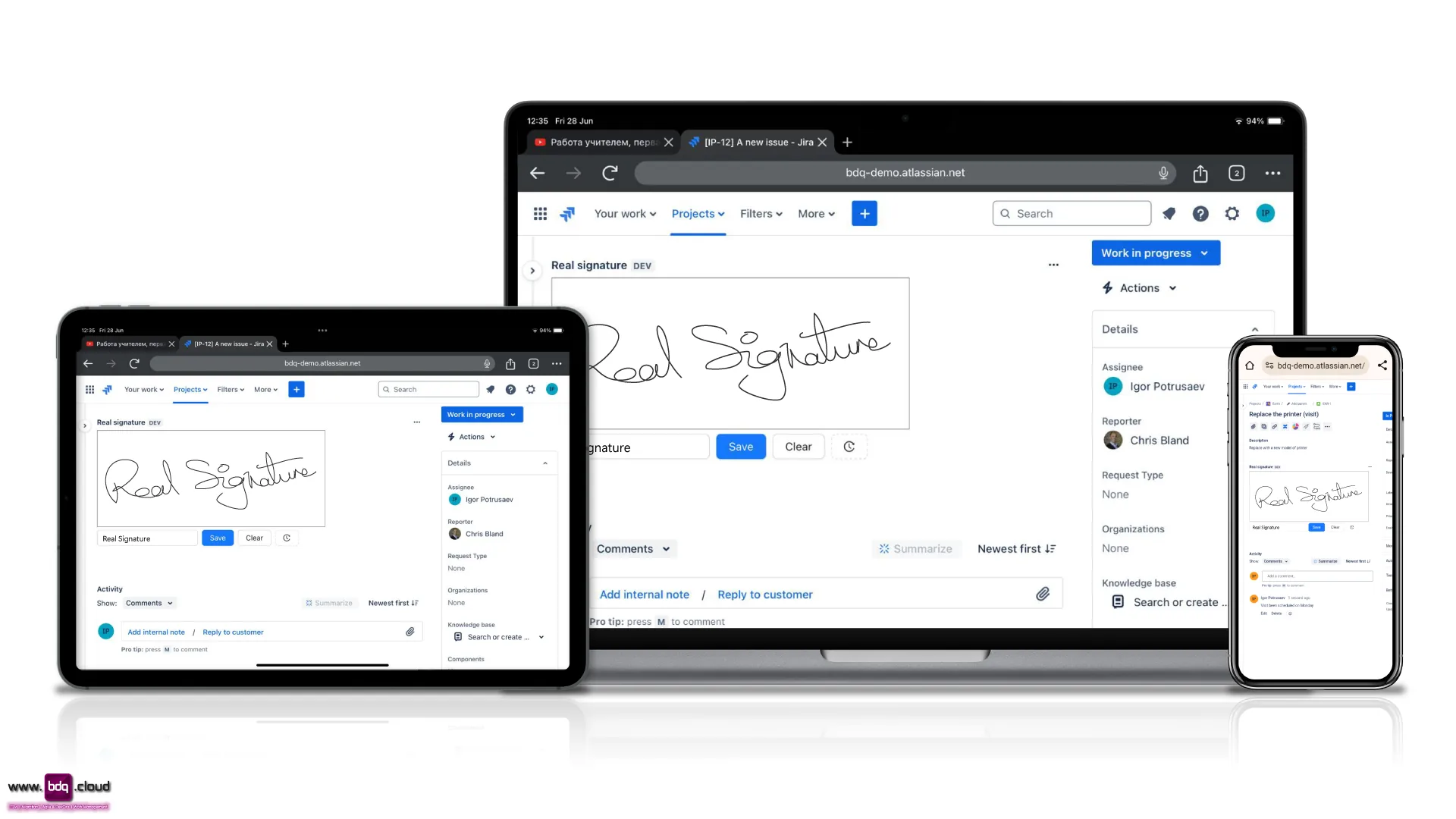
Key benefits of the Real Signature app include:
- Efficient Signing
Quickly open a signature box for seamless in-person signing. - Accessibility
Unlike other electronic signature apps currently available, no Jira account is needed to use the app, making it convenient for all users. - Historical Tracking
Maintain a detailed history of signature usage, including dates and names - PDF Generation
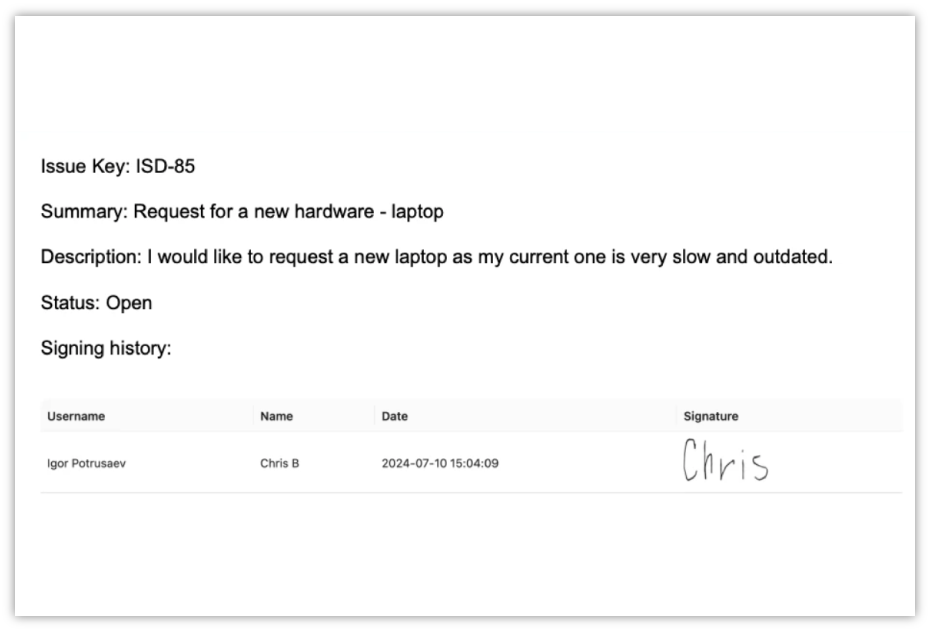
Generate PDFs with signatures directly from the issue.
Download the app from the Atlassian Marketplace now for free and try it for yourself.
Want the same in-person signature functionality for Confluence pages?
BDQ has you covered. Real Signature for Confluence →
Why BDQ
BDQ are Atlassian Solution partners based in the UK & US with more than a decade of experience in implementing, training, consolidating or migrating Atlassian products such as Jira, Confluence, Jira Service Management, Jira Work Management and many more. We have produced several apps available in the Atlassian Marketplace. For more information on the apps we offer, please see our BDQ Products page.
App Support

Real Signature is completely supported by BDQ. We have provided comprehensive documentation via the link below should you have any issues using the app.
- Support if you are using the app:
Please check the documentation section below for answers. If you still require assistance after reviewing the documentation section, please submit a ticket through our Support portal to ask a question or provide feedback. - Support if you are not yet using the app:
If you have questions or comments about the app before installing it, please use the form at the top or bottom of the page to get in touch with us. One of our Atlassian Technical experts will answer your enquiry as soon as possible.
App Resources

Here you can find all kinds of resources that you can refer to regarding the Real Signature app for Jira and Jira Service Management from BDQ.
If you have any specific questions and cannot find the answer in the sections or links below, please get in touch. Let's talk about what you need.
Documentation
To make Real Signature for Jira as easy to use as possible, we have prepared several "How to" guides that cover all aspects of using the app. We have included screenshots for you to look over.
You can click on the links below or go to the BDQ Documentation page for Real Signature using the button.
How to guides:
- How to add Real Signature to Jira →
- How to add a signature to a task using Real Signature →
- How to see the history of a signature →
Screenshots
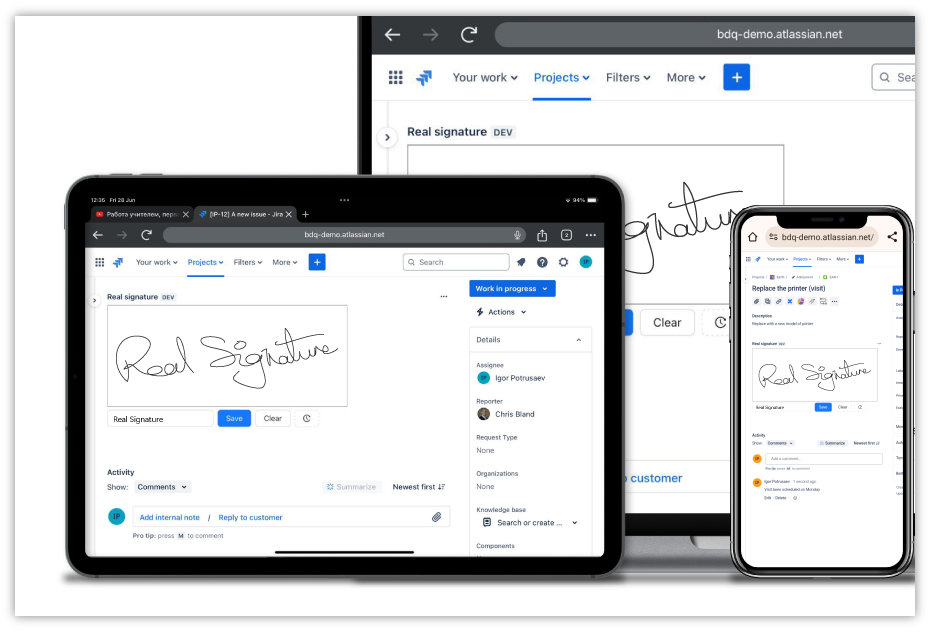
Collect In-Person signatures drawn on the screen
Customers can draw on the screen with no accounts or emails required. Ideal for field personnel who need to collect signatures directly from customers.
Works with phones, tablets and PC screens.
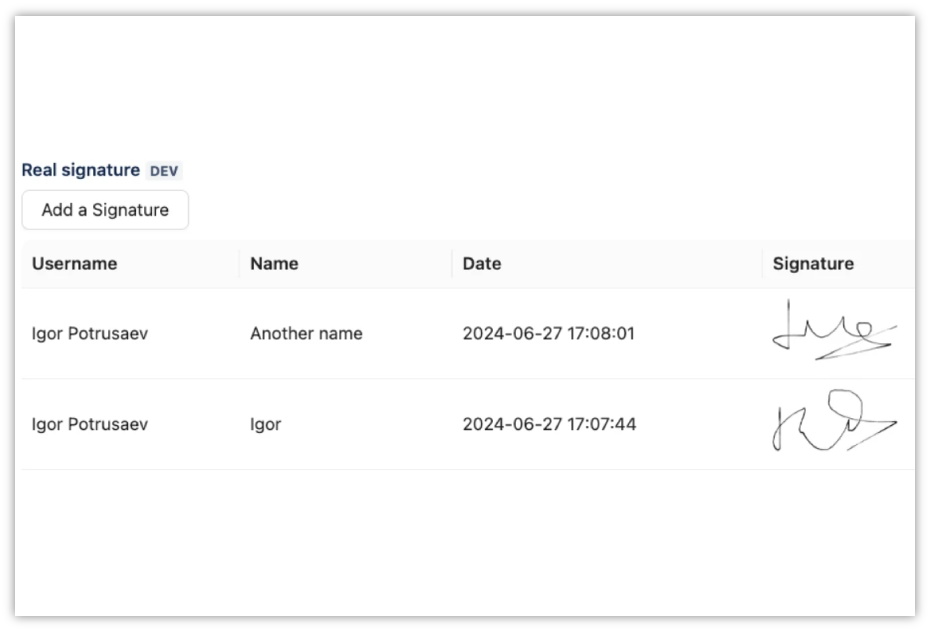
History and timestamp are recorded
The user and date that the signature was taken are recorded in the issue. Multiple signatures can be added.
PDF export
Signed issues can be exported directly to PDF from the app.
App support & resources
Need a hand? Raise a ticket via the BDQ Support Portal, explore Managed Support for flexible expert help, or read more customer stories.
Documentation & how-to guides
- How to install Real Signature in Jira
- How to add a signature using Real Signature
- How to see the history of a signature
Real Signature from BDQ
If you would like to download a PDF version of the information on this page, or you have any questions or comments regarding the app, please complete the form.
For Jira Service Management consultancy, training or implementation, please contact us here. Let's talk about what you need.
If you are using the app and require support, please do not use this form — instead raise a ticket through our support desk.


