

How do I install Attachment Manager?
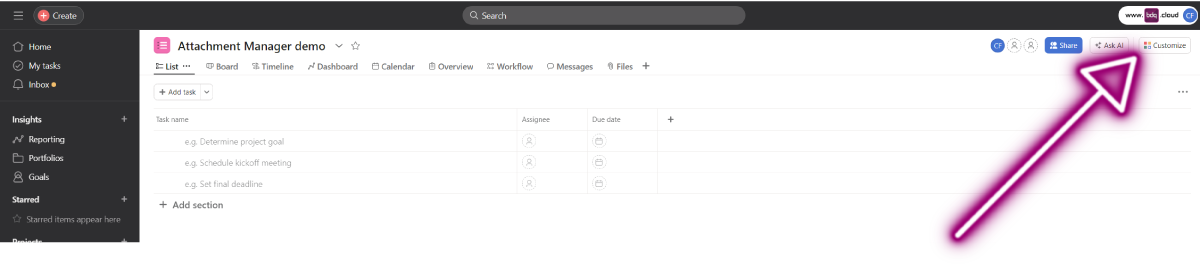
1. In Asana, navigate to a project and select the Customise button in the top right corner
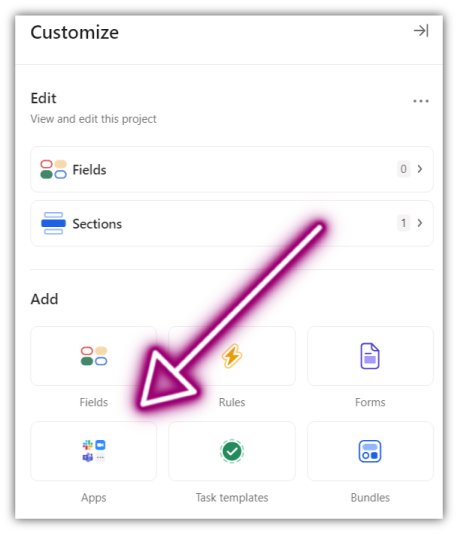
2. In the Customise menu, select Apps in the Add section
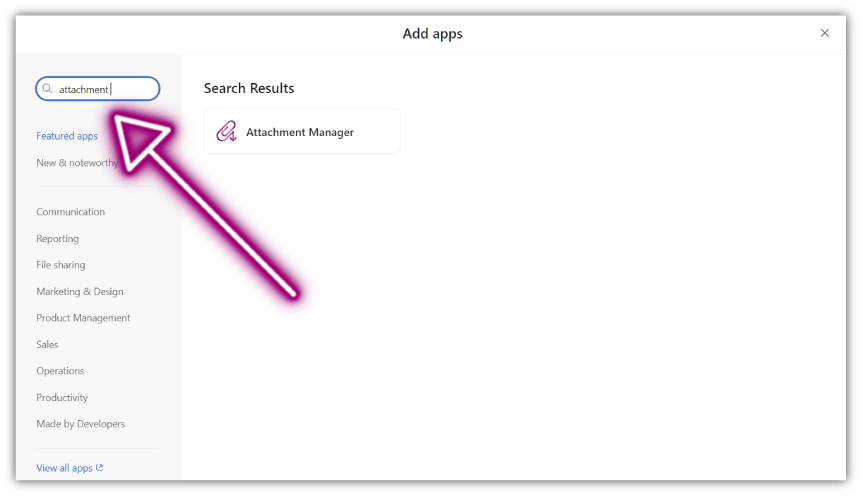
3. Navigate to the Attachment Manager app page using the search bar
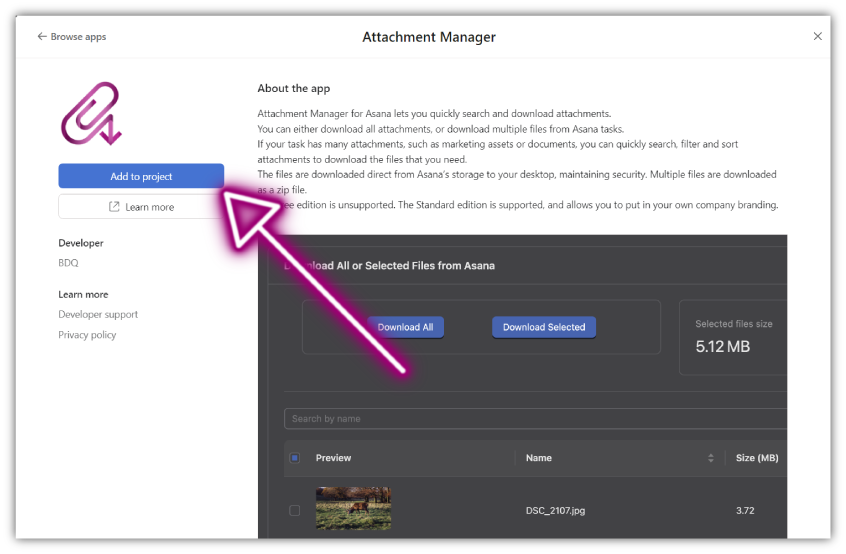
4. Within the app page select "Add to project"
Up Next:
Adding the app widget to tasks →
What is Attachment Manager for Asana?
Attachment Manager for Asana is an app that enables users to bulk download multiple attachments from Asana projects. Quickly organise, filter and sort attachments and securely download the files you need. Enhance productivity by eliminating the need to download each attachment individually.
The Attachment Manager app was developed in-house and is supported by BDQ and is available through Asana.