

How do I see the history of a signature saved with Real Signature?
1. Navigate to the page that you want to see the signature history of
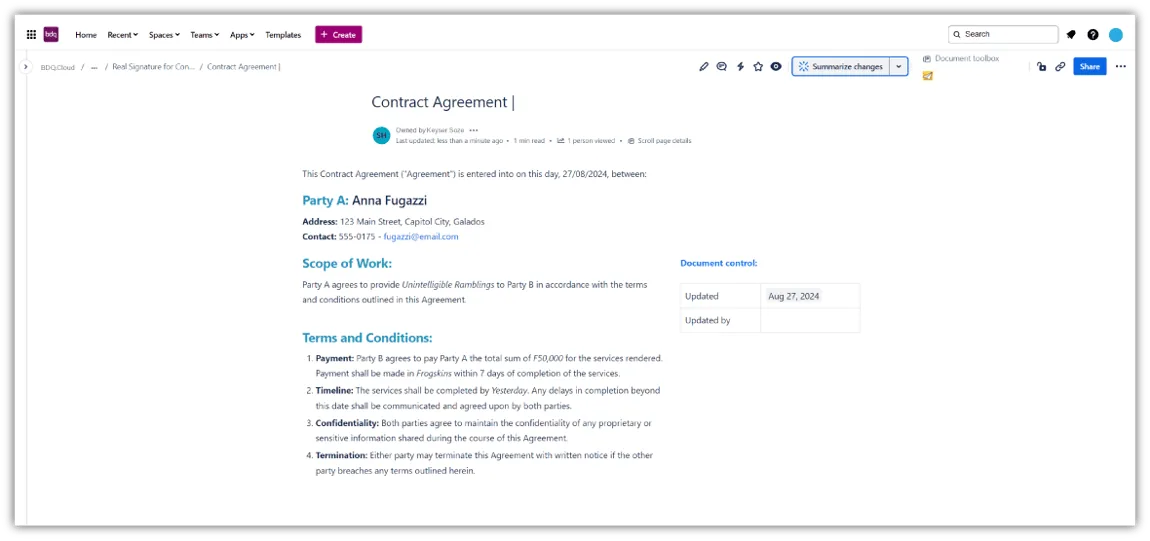
2. Scroll until you find the Real Signature macro on the page
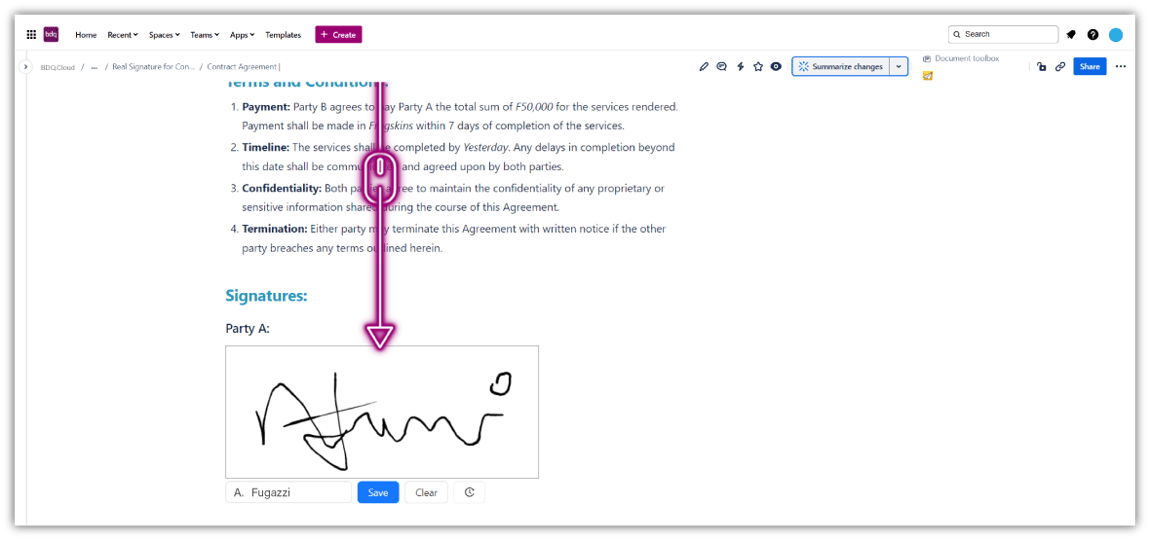
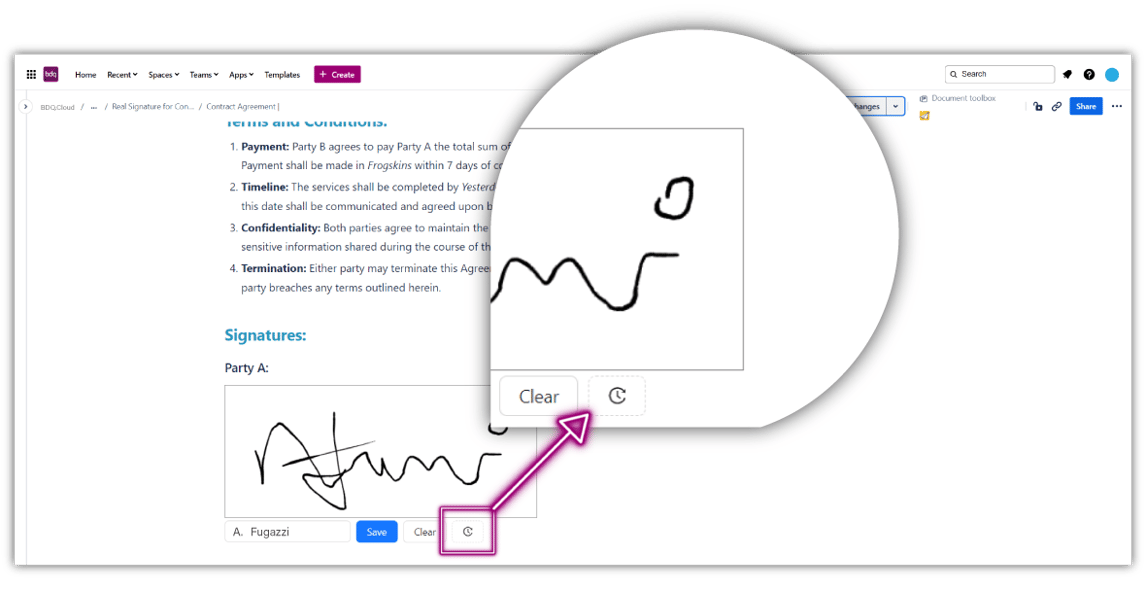
3. Click on the History button (clock icon)
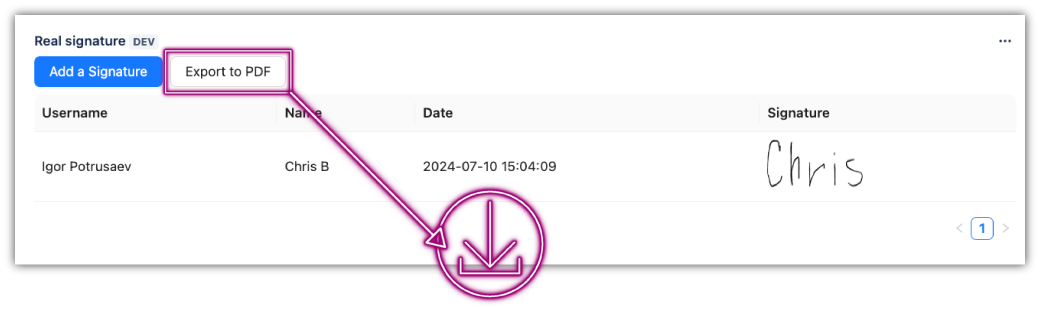
4. You will see a table featuring the user name, signee's name, timestamp & signature
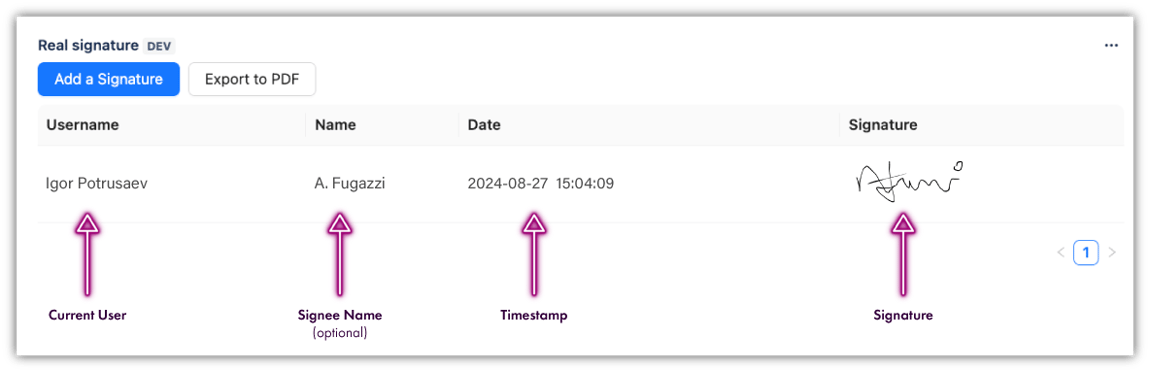
5. Click "Export to PDF" if you need to store or send the signed page
Up Next: