

Field Service Management for Jira and JSM · Docs
Booking a Visit from Jira Service Management Portal
Visits can be requested directly from the Jira Service Management portal when raising a request. This allows customers or internal users to request a field...
Visits can be requested directly from the Jira Service Management portal when raising a request. This allows customers or internal users to request a field visit as part of their service request.
Accessing the Visit Request
Open the Jira Service Management Portal.
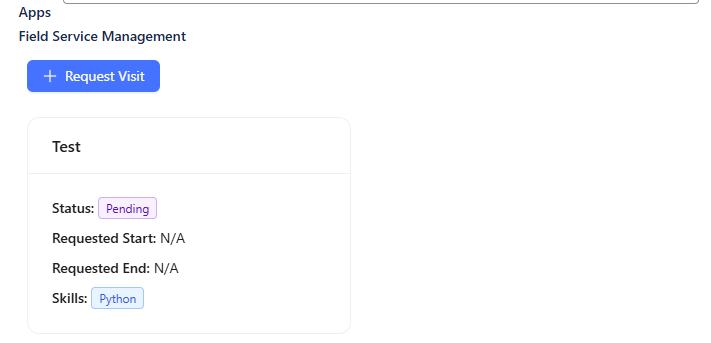
Locate and select the Field Service Management application on the portal.
Click on the Request Visit option.
This opens the visit request form.
Visit Request Fields
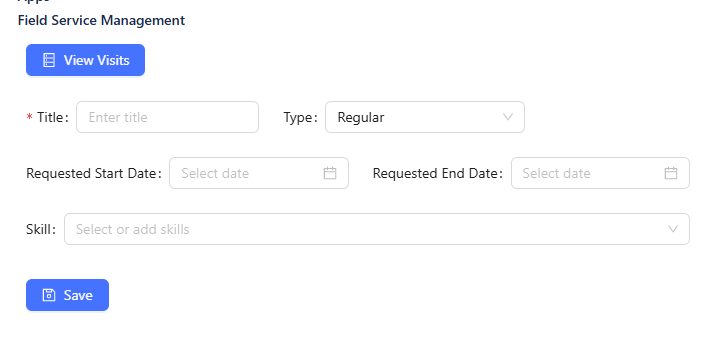
The following fields are available when requesting a visit:
Title (Required):
Enter a clear and descriptive title for the visit.
This field is mandatory and must be filled to submit the request.
Type:
Select the visit type from the available options.
The list of types is managed by administrators.
Requested Start Date:
Select the preferred start date for the visit.
This indicates when the visit is expected to begin.
Requested End Date:
Select the preferred end date for the visit.
Skill:
Select one or more skills required for the visit.
You can also add new skills if they are not already available.
Submitting the Visit Request
Once all required information is provided:
Submit the request to book the visit.
The visit request is created and linked to the Jira Service Management issue.
After the Visit Is Requested
The visit request is reviewed by an Administrator or Project Manager.
They assign the visit to the relevant team member based on availability and required skills.
The assigned user can then schedule and complete the visit accordingly.