Attachment Manager · Docs
Adding tags and Statuses to your attachments
This feature is only available on the standard version of Attachment Manager to upgrade to standard please visit https://attachmentmanager.com/getStandard
Last updated 13 May 2024
This feature is only available on the standard version of Attachment Manager to upgrade to standard please visit https://attachmentmanager.com/getStandard
Navigate to the Attachment Manager site using the widget within Asana
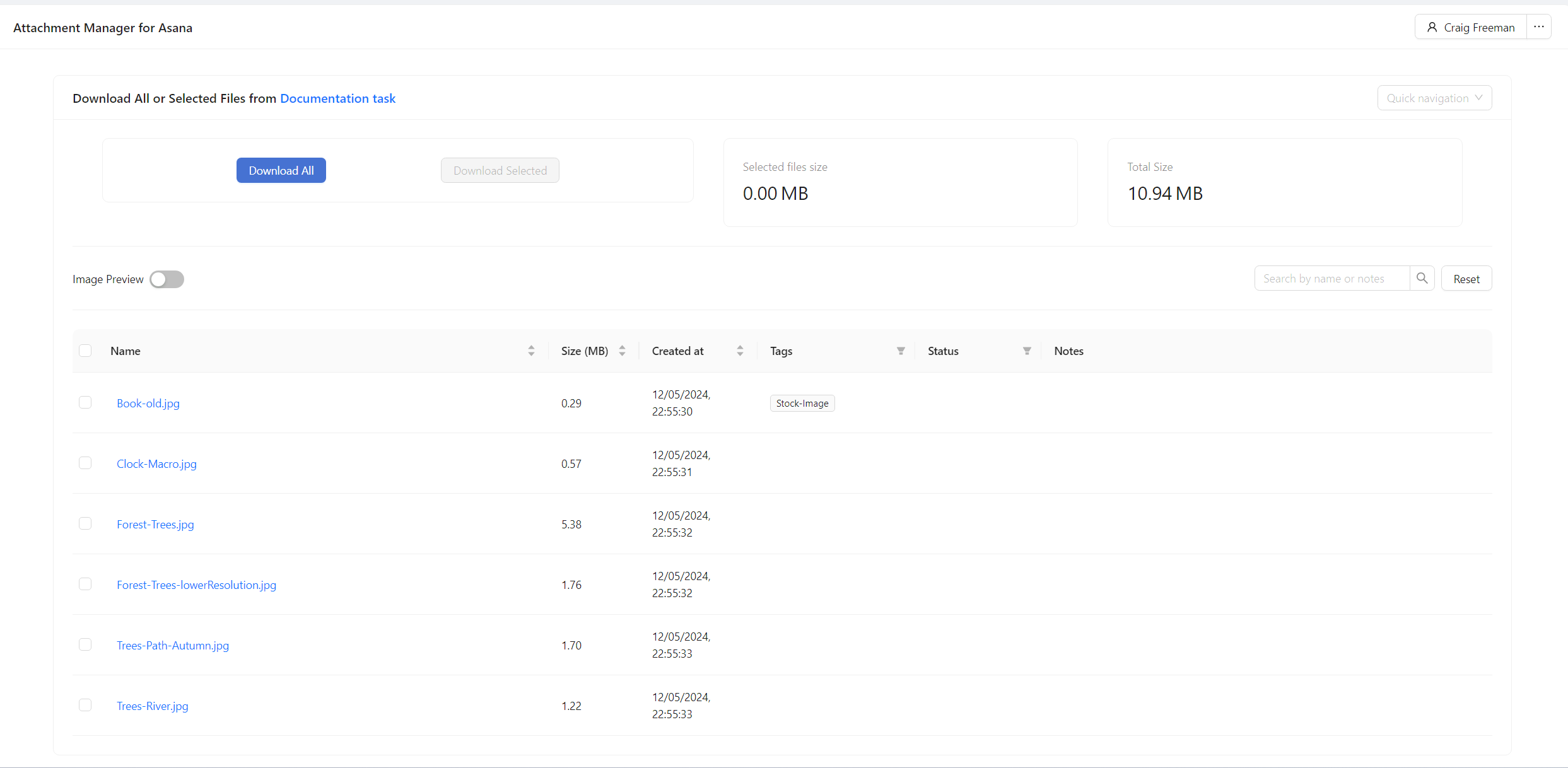
To add a tag or status to an attachment click in the relevant column for that attachment which will open the Attachment Details panel
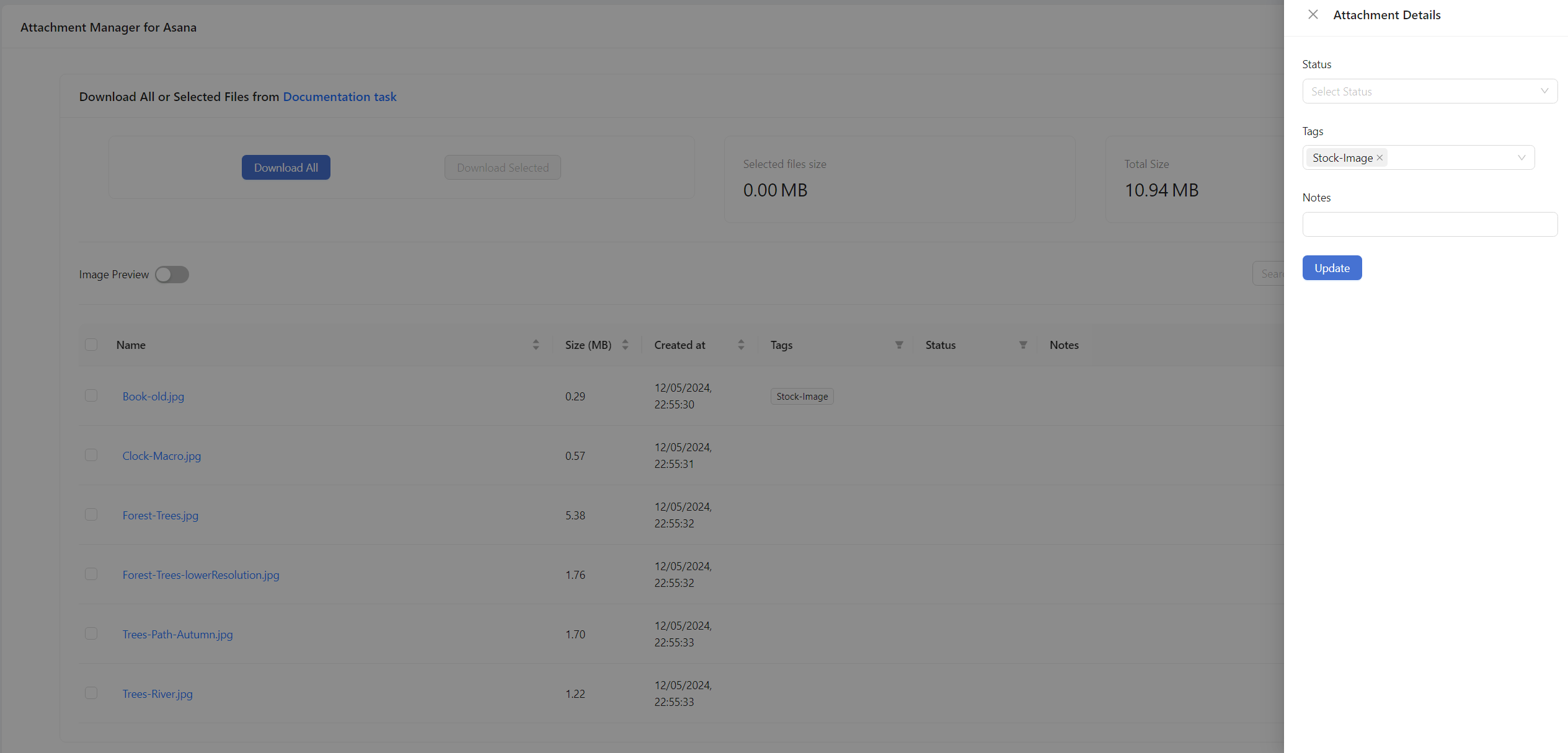
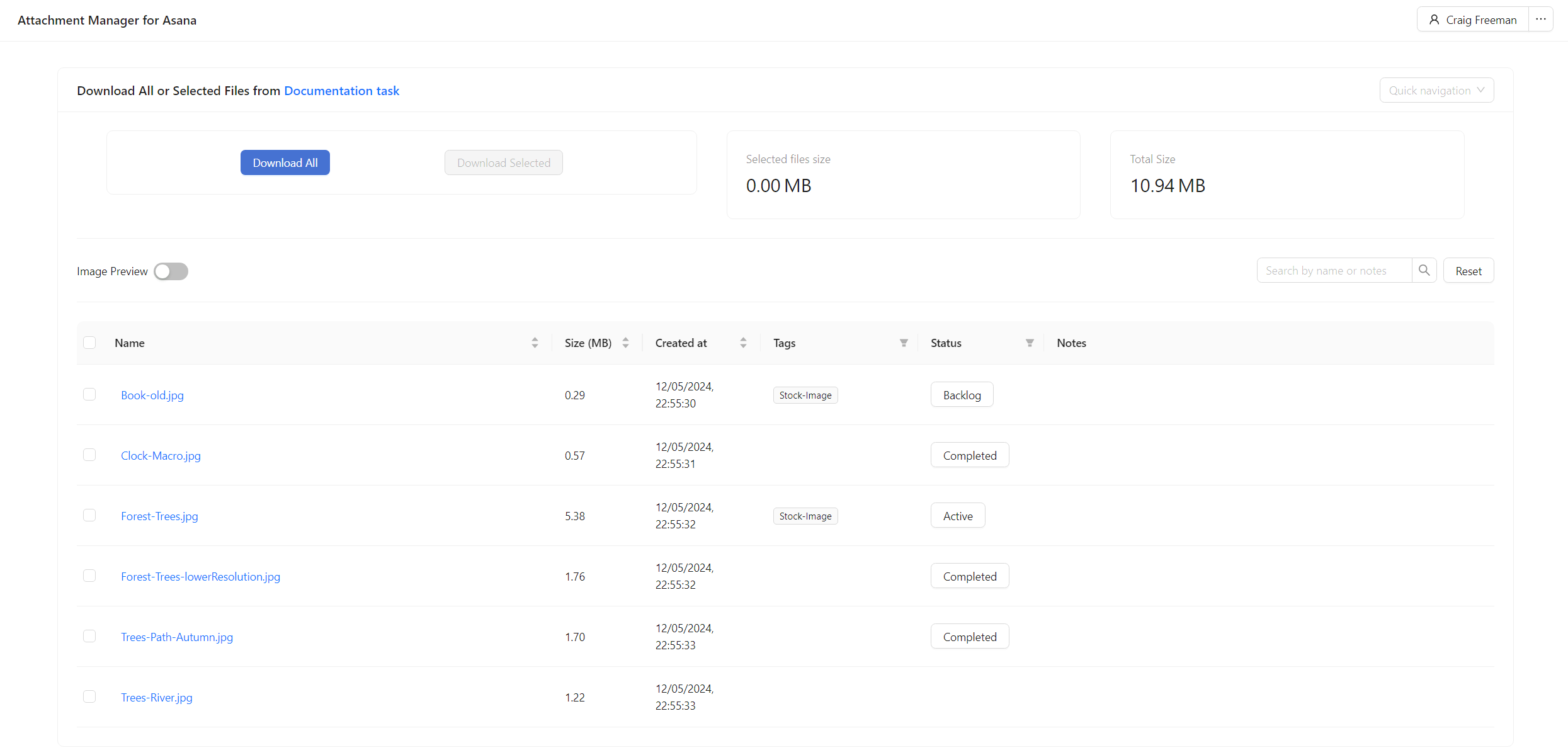
Enter the needed tags or statuses before clicking update after which your tags and statuses will be visible in the main table of the app